How to Structure Interactive Streams with Multi-guest, LIVE Goal, Viewer Ranking, and Countdown
2026-03-07
How to Structure Interactive Streams with Multi-guest, LIVE Goal, Viewer Ranking, and Countdown
Some interaction tools are best understood as structure tools. They do not just add movement to the screen. They help you organize the stream around participation, targets, and timing.
In TikTok LIVE Studio, Multi-guest, LIVE Goal, Viewer Ranking, and Countdown all fit that role. They can make a stream feel more event-driven instead of simply open-ended, but they work best when each one has a specific job.
Why These Features Work Well Together
These tools all answer the same question in different ways: why should viewers react right now?
- Multi-guest adds more people and more voices.
- LIVE Goal adds a visible target.
- Viewer Ranking highlights participation.
- Countdown adds urgency to a moment.
Used well, they make the stream easier to follow because viewers can quickly understand what is happening and what kind of participation matters.
Their shared strength is structure. They turn a general stream into something with visible stages, priorities, and moments of action.
How Multi-guest Changes Stream Structure
Multi-guest is useful when you want a broader group format than a simple one-to-one Co-host setup.
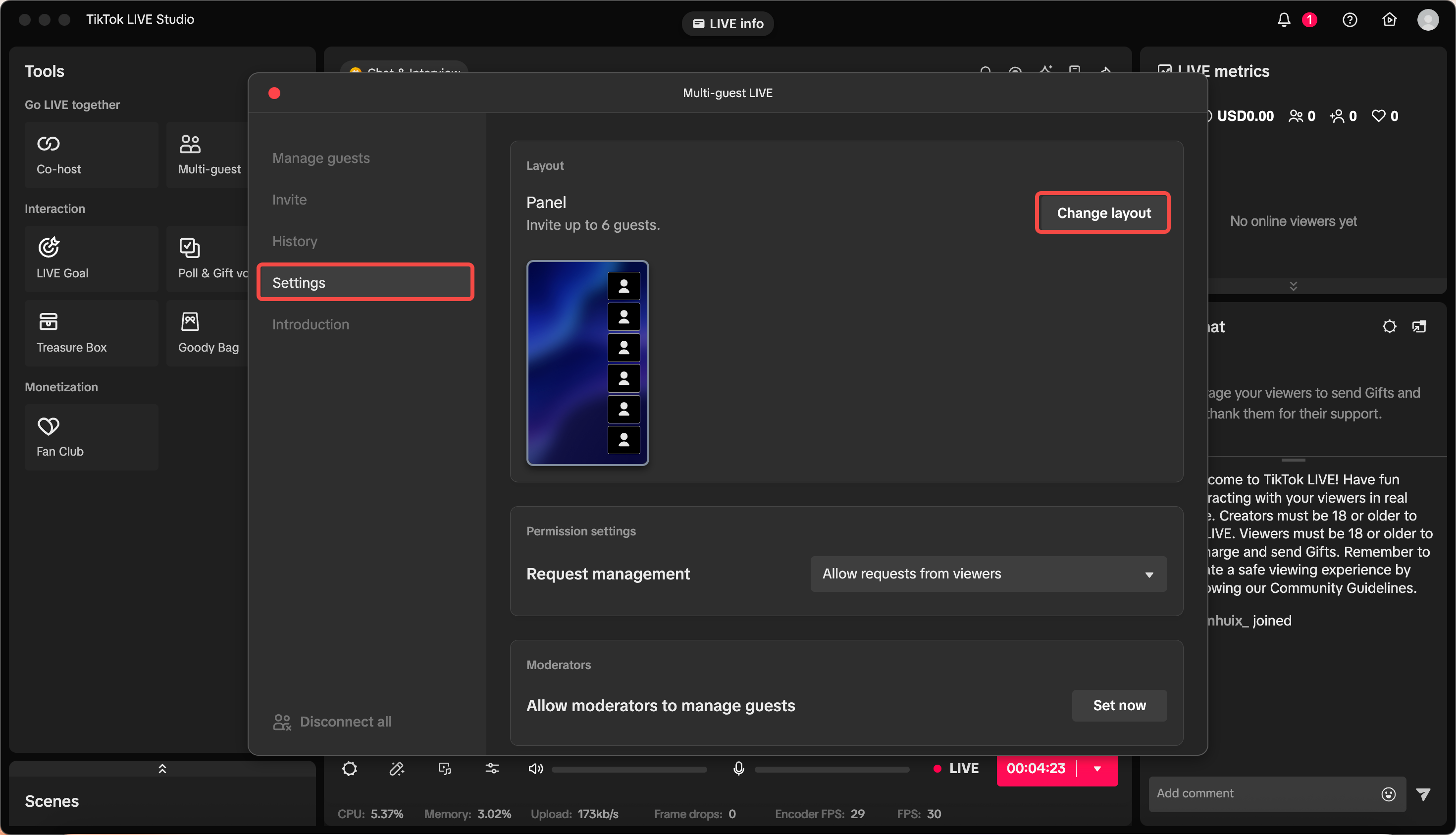
This feature works well for:
- panel-style discussions
- community conversations
- audience participation segments
- collaborative games or challenge rounds
The most important choice is layout discipline. If too many people appear without a clear flow, viewers can lose track of who matters at the moment. A better approach is to decide the role of the segment first, then choose the layout that supports it.
The image above is helpful because it shows that Multi-guest is not only about inviting people. It is also about setting permission and layout rules. That means the planning question comes first: is this a panel, a call-in moment, or a challenge segment?
A practical setup order looks like this:
- Decide whether the segment is discussion-first or participation-first.
- Choose a layout that keeps the main speaker obvious.
- Set guest permissions before the segment begins.
- Decide how many people can be active at once without making the stream noisy.
A common mistake is inviting several people before deciding who should actually be visible or speaking at a given moment. That usually creates confusion rather than energy. Multi-guest works best when the audience can still tell where to look.
How to Use LIVE Goal Without Making It Feel Forced
Goals work best when they support the stream theme rather than replacing it.
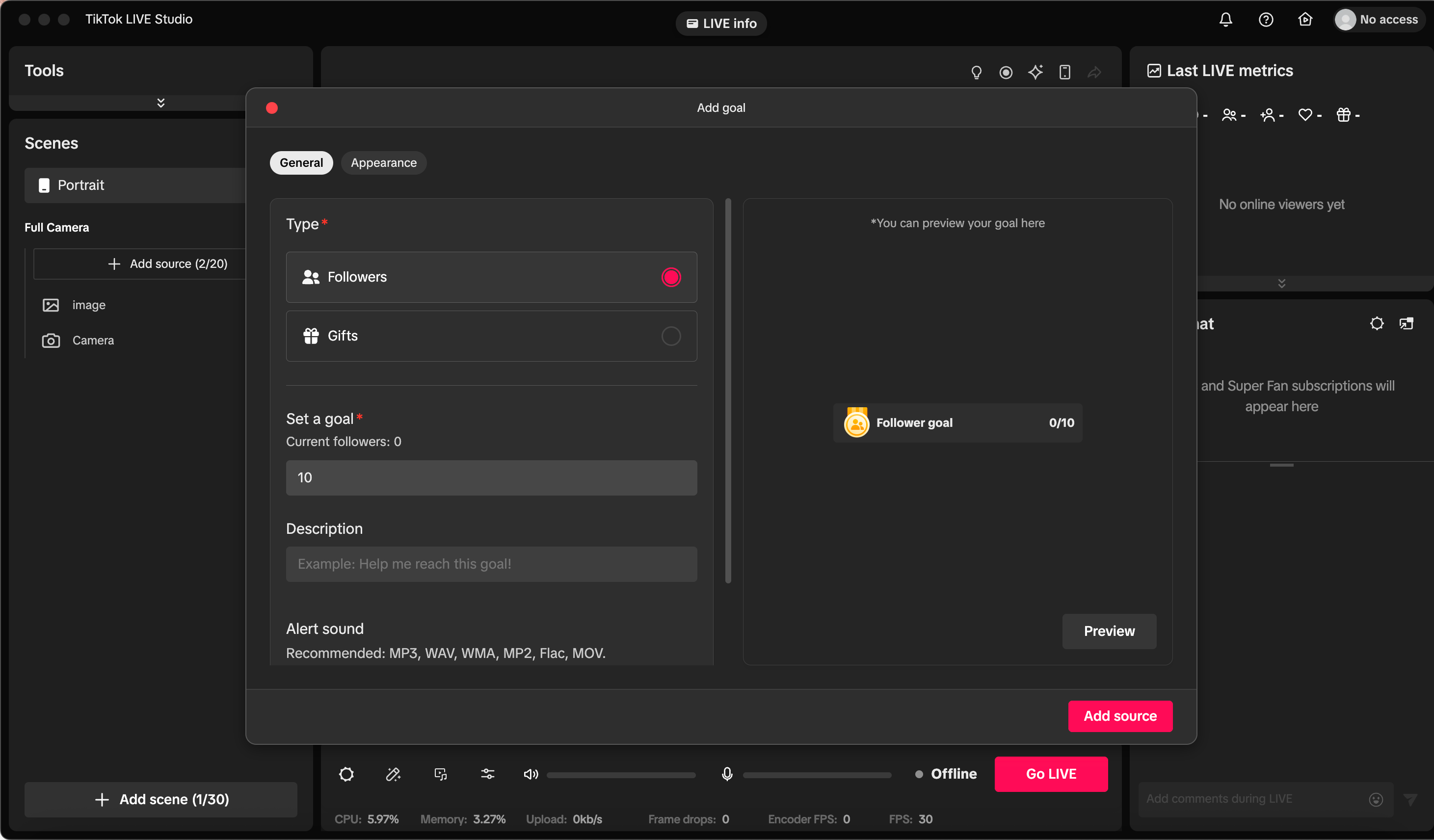
A goal can be useful for:
- reaching a follower milestone
- tying gifts to a challenge or reward
- measuring whether a launch segment is resonating
The key is proportion. If the stream becomes only a request for numbers, viewers can disengage. If the goal feels connected to the content, it becomes a progress marker that gives viewers a reason to help.
A simple sentence such as "If we hit this target, I will unlock the next demo" often works better than repeating the goal mechanically.
The screenshot matters because it shows that a goal is something you define intentionally. You choose the type, target, and presentation. That should match the stream story. Do not set a goal just because the feature exists.
A good decision order is:
- Pick one goal type that matches the stream.
- Set a target that feels reachable inside the session.
- Tell viewers what the goal unlocks or changes.
- Stop repeating it once the audience clearly understands it.
One common mistake is choosing a target that is so high it never feels real. A goal should create momentum, not make the stream feel like it is failing in public.
How Viewer Ranking and Countdown Support Different Moments
Ranking and countdown features are effective because they make progress visible, but they do not create the same kind of pressure.
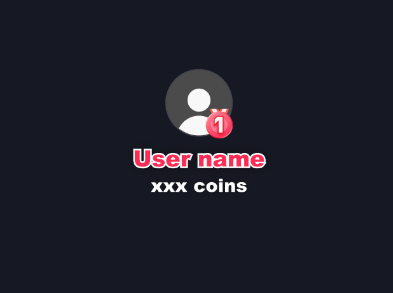
Viewer Ranking can support streams where recognition matters. It works especially well when viewers already feel part of a community and enjoy seeing active participation acknowledged.
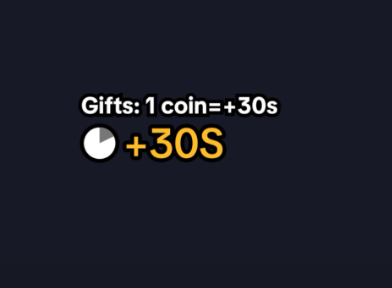
Countdown works differently. It adds urgency. It is useful for:
- timed reveals
- challenge segments
- event starts
- limited participation windows
A useful distinction is:
Viewer Rankingis for recognitionCountdownis for urgency
Together, these two tools help viewers feel that timing matters. That is often enough to increase comments, reactions, and decision-making speed.
A common mistake is using both too early or too often. Ranking loses meaning if it is always present. Countdown loses urgency if every moment is treated like a deadline. If you want viewers to feel acknowledged, use ranking. If you want them to act before a moment ends, use countdown.
Suggested Combinations for Different Stream Styles
A few combinations are especially practical:
Multi-guest + Countdownfor timed panel or challenge startsLIVE Goal + Viewer Rankingfor community-driven milestonesCountdown + Goalfor launches or reveal momentsMulti-guest + Viewer Rankingfor competitive or audience-heavy events
The best pairing depends on the stream format. If your stream is conversational, keep the visual tools lighter. If your stream is event-like, stronger progress and timing cues often help more.
A useful judgment rule is to choose one primary structure tool and one support tool. If you stack too many engagement mechanics at once, viewers can lose track of the point of the segment.
A simple build order helps:
- Start with the feature that defines the segment, such as Multi-guest or LIVE Goal.
- Add only one support mechanic, such as Countdown or Viewer Ranking.
- Remove any extra element that does not help the audience understand what to do.
Summary
Multi-guest, LIVE Goal, Viewer Ranking, and Countdown can make a stream feel much more structured because they turn participation into something viewers can see and respond to. When the stream has a visible target, a clear guest format, or a timed moment, people understand where the energy should go.
After these tools, the next layer is reward-driven interaction such as polls, gift votes, fan club incentives, goody bags, and treasure boxes.