How to Get Access to TikTok LIVE Studio
2026-03-07
How to Get Access to TikTok LIVE Studio
Downloading TikTok LIVE Studio is only one part of the setup. The second part is access. LIVE Studio access depends on account status, recent LIVE activity, suspension history, and regional eligibility rules.
If you open the app and cannot stream immediately, it does not always mean something is broken. In many cases, it simply means your account still needs to qualify or apply.
The Official Access Requirements
Requirements vary by country or region and may change without notice. Still, there is a default access pattern for active TikTok creators.
The account should meet these conditions:
- your TikTok account was created at least 30 days ago
- you have gone LIVE at least once in the last 180 days
- each recent LIVE lasted at least 25 minutes
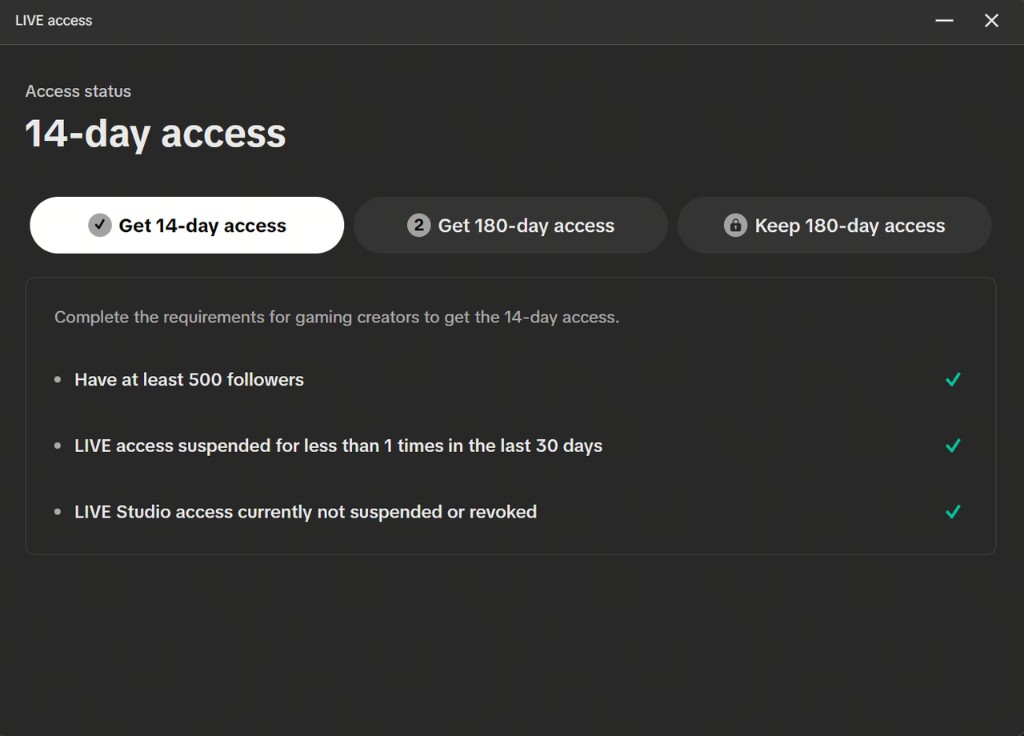
- you have at least 500 followers
- your LIVE access has not been suspended in the last 30 days
- there is no current suspension or revocation
This gives you a practical baseline checklist to review before troubleshooting anything else.
How Active TikTok LIVE Creators Check Access
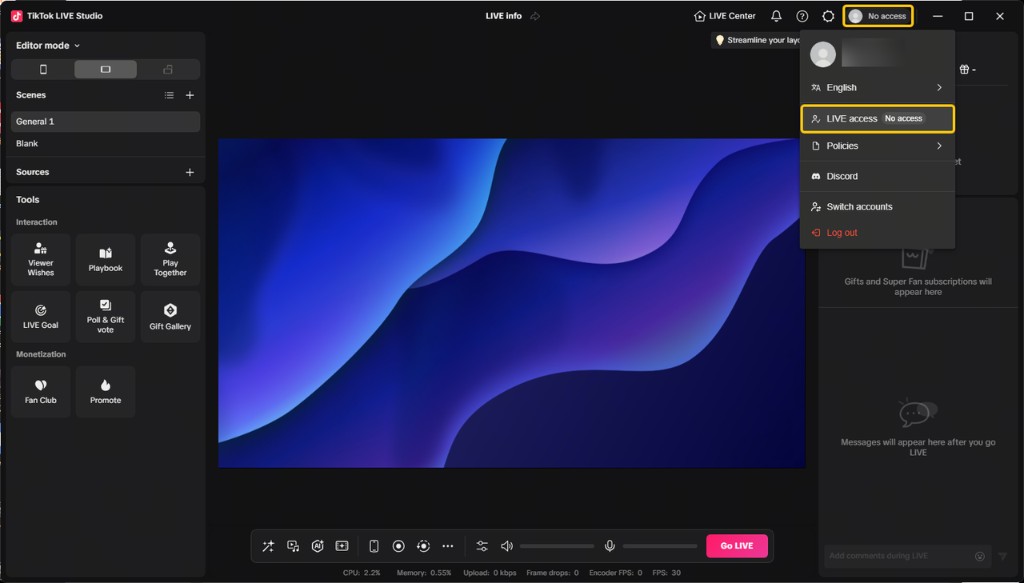
The official guidance says active TikTok LIVE creators can open LIVE Studio and check their status in the top-right corner of the app.
From there:
- open LIVE Studio
- look for Your LIVE access
- review the status shown in the product
- click the access entry if an application step is offered
This is useful because the product itself becomes the fastest place to confirm whether your account is already recognized as eligible.
What If You Stream on Other Platforms?
This also matters for creators who are active elsewhere but are not yet established on TikTok LIVE.
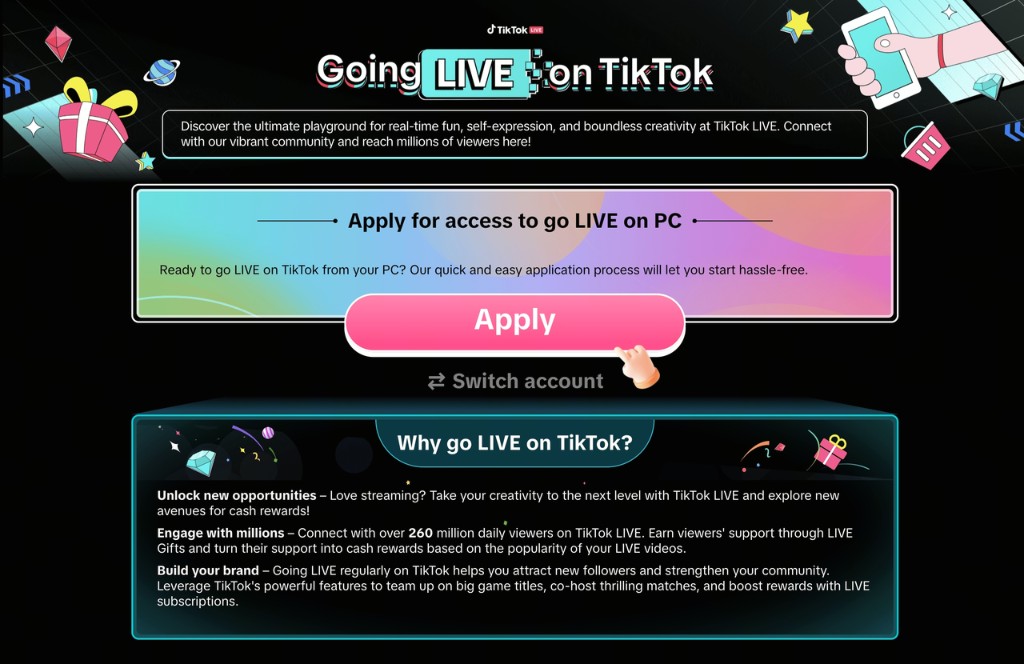
In that case, after clicking Your LIVE access, you may be redirected to a LIVE access application page where you can submit an application form.
This is an important distinction:
- existing TikTok LIVE creators may see direct status and apply inside the product
- creators from other platforms may need to go through a more formal application path
So if you have streaming experience but limited TikTok LIVE history, your barrier may be account eligibility rather than technical setup.
Why Access Matters Before Setup
Many creators want to buy gear, install software, and design scenes before confirming account readiness. That is understandable, but not always efficient.
Access should be checked early because it influences:
- whether you can test a real stream soon
- how urgent your equipment upgrades need to be
- whether your first task is technical setup or account qualification
If your account is not ready, the smartest next step may be building TikTok LIVE history first instead of over-investing in desktop setup immediately.
The Most Common Reasons Access Is Missing
Based on the official conditions, access problems usually fall into one of these buckets:
Your account is too new
If the account was created recently, you may simply need to wait until it clears the age threshold.
You do not have enough recent LIVE history
One important requirement is at least one LIVE in the last 180 days, with each LIVE lasting at least 25 minutes. That means short test broadcasts may not be enough.
Your follower count is still below the threshold
The listed baseline is 500 followers. If you have not reached that level, access may still be locked.
Your account has suspension-related issues
Recent suspensions, revocations, or current access restrictions can block approval.
Regional rules differ
Requirements vary by country or region. Even if two creators have similar accounts, their access paths may not be identical.
Your access is temporarily limited or suspended
If your LIVE access was suspended recently, that can block or delay LIVE Studio access even if your follower count or account age looks strong. The baseline conditions already make this clear: recent suspension history and current access standing both matter.
If that is your situation, the practical next steps are:
- confirm whether the suspension is still active
- resolve any account or policy issues first
- wait until the suspension window has fully passed if a time-based restriction applies
- reopen LIVE Studio and check Your LIVE access again
A Practical Access Checklist
Before you assume LIVE Studio is unavailable, check the following:
- account age: 30 days or more
- recent LIVE history: at least one session in the last 180 days
- session duration: at least 25 minutes
- follower count: 500 or more
- no recent suspension
- no current access restriction
- region-specific requirements reviewed
If one of these conditions is missing, the next action becomes much clearer.
What to Do If You Do Not Have Access Yet
There are two broad paths.
Path 1: Qualify as an active TikTok LIVE creator
If you are already building on TikTok, focus on meeting the account requirements and then recheck the app.
Path 2: Apply through the access flow
If you are coming from another platform, complete the application form shown through the LIVE Studio access page.
In both cases, keep expectations realistic. Access is not purely a software setting. It is a platform eligibility decision tied to your account and region.
Can You Get Access Faster?
Creators often look for a faster shortcut, especially if they already stream on other platforms. In practice, the fastest legitimate path is still the same:
- meet the baseline account requirements if you are building on TikTok
- use the in-product access flow if you are already eligible
- submit the application form if you are entering from another platform
There is no simple guaranteed shortcut described here beyond qualifying properly and following the access path that matches your creator situation.
What to Learn After Access Is Approved
Once access is in place, the best next topics are:
That is the point where your workflow shifts from qualification to actual production.
Summary
To get access to TikTok LIVE Studio, start by checking whether your account meets the baseline conditions around account age, recent LIVE activity, follower count, and account standing. Then open LIVE Studio, review Your LIVE access, and follow the in-product application flow if needed.
The key takeaway is simple: access is an account and policy issue before it is a content or hardware issue. Confirm that early, and the rest of your LIVE Studio setup becomes much easier to plan. If access is missing, focus first on eligibility, suspension status, and the correct application path rather than assuming the desktop software itself is the problem.